Skip to content

Selected work

Founder-built software and workflow tools.

Designed and built by David Francis, from hosted web applications to internal tools, prototypes and this website. Each project shows the interface, the workflow and its current status.

A selection of founder-built products, internal tools, and design concepts.

Projects

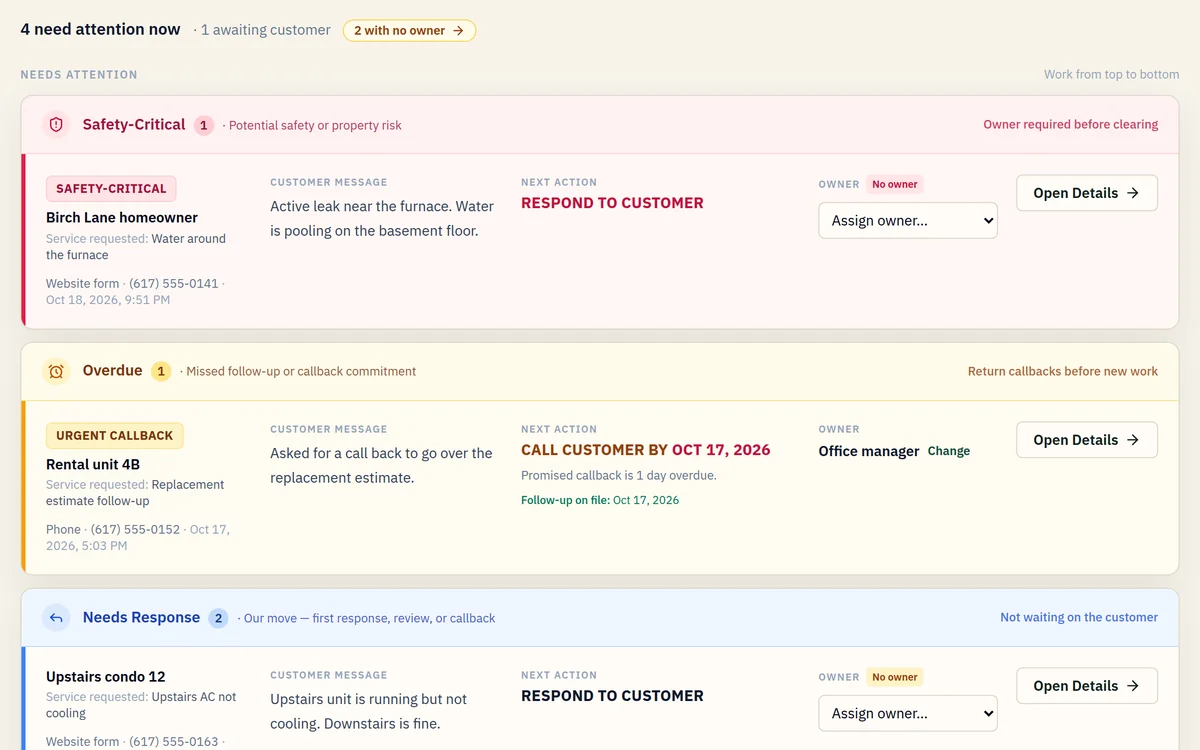
  1. Keptro requests board with safety-critical and overdue requests.
    01

    Keptro

    Customer Intake & Follow-Up Operations Software · Hosted web application

    Keeps each service request in view with an owner and a next action until the follow-up is done.
    View project: Keptro
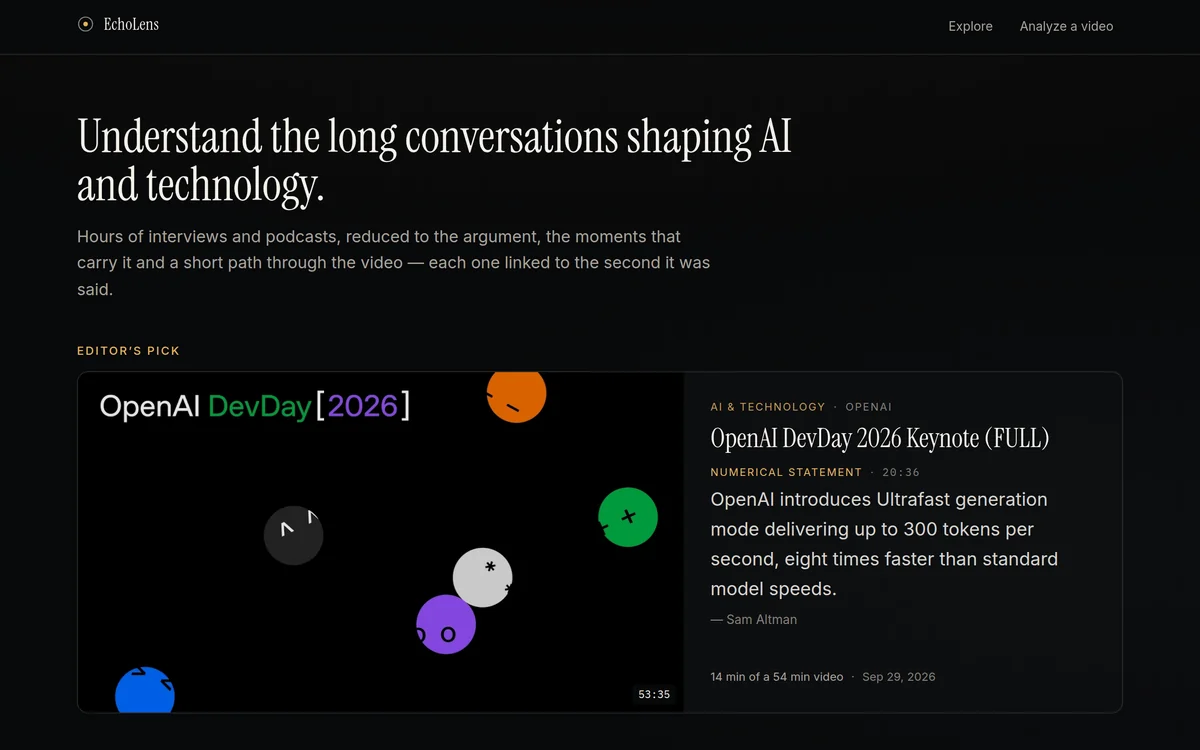
  2. EchoLens homepage with an editor’s pick from a public keynote video.
    02

    EchoLens

    AI Video Analysis & Research Web Application · Public web application · Early access

    Turns a long video into its central argument and a short path through the moments that matter.
    View project: EchoLens
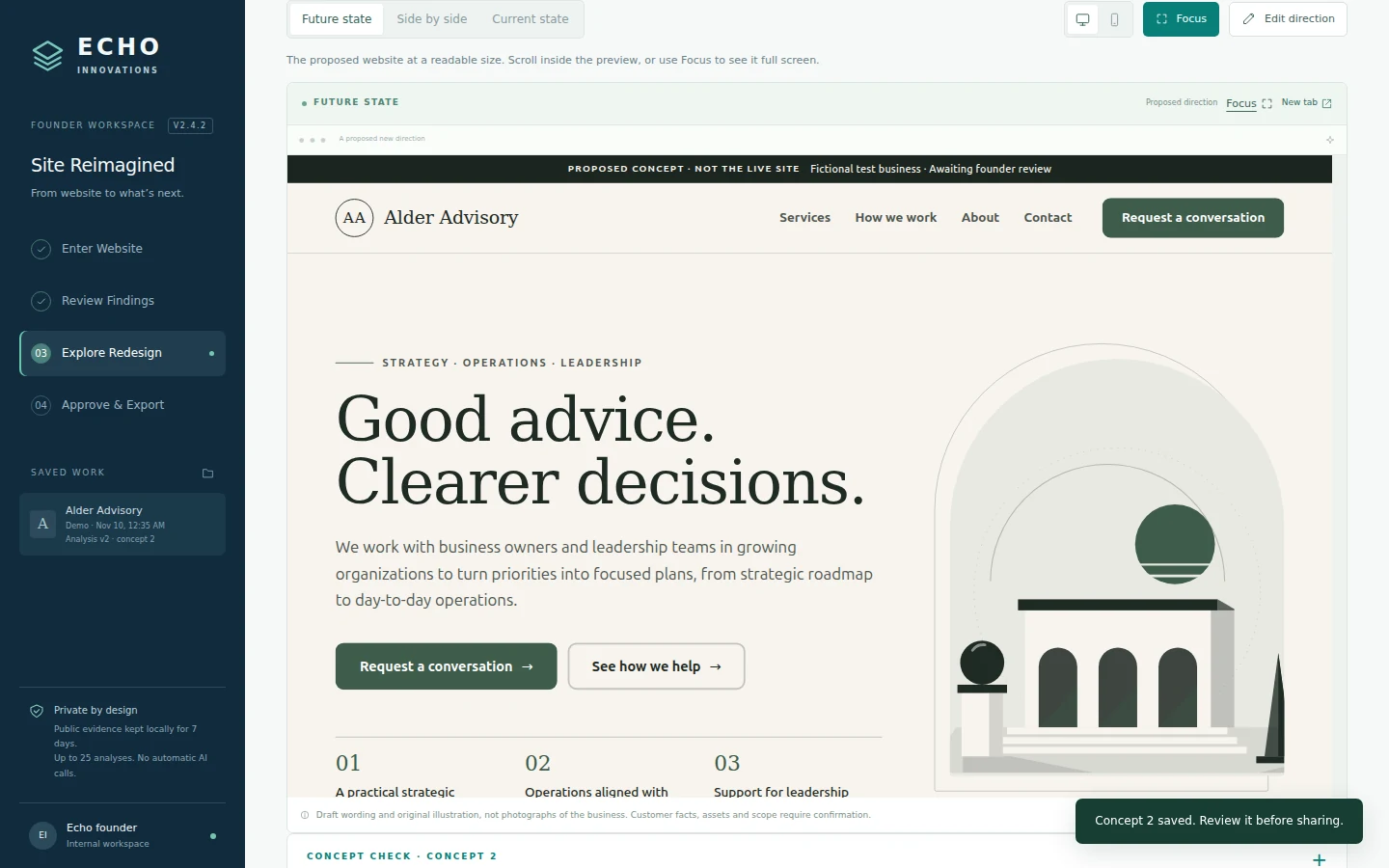
  3. Site Reimagined workspace with a proposed homepage concept for a fictional business.
    03

    Site Reimagined

    Website Concept & Design Tool · Internal design tool

    Reviews an existing business website and prepares a proposed homepage concept to discuss.
    View project: Site Reimagined
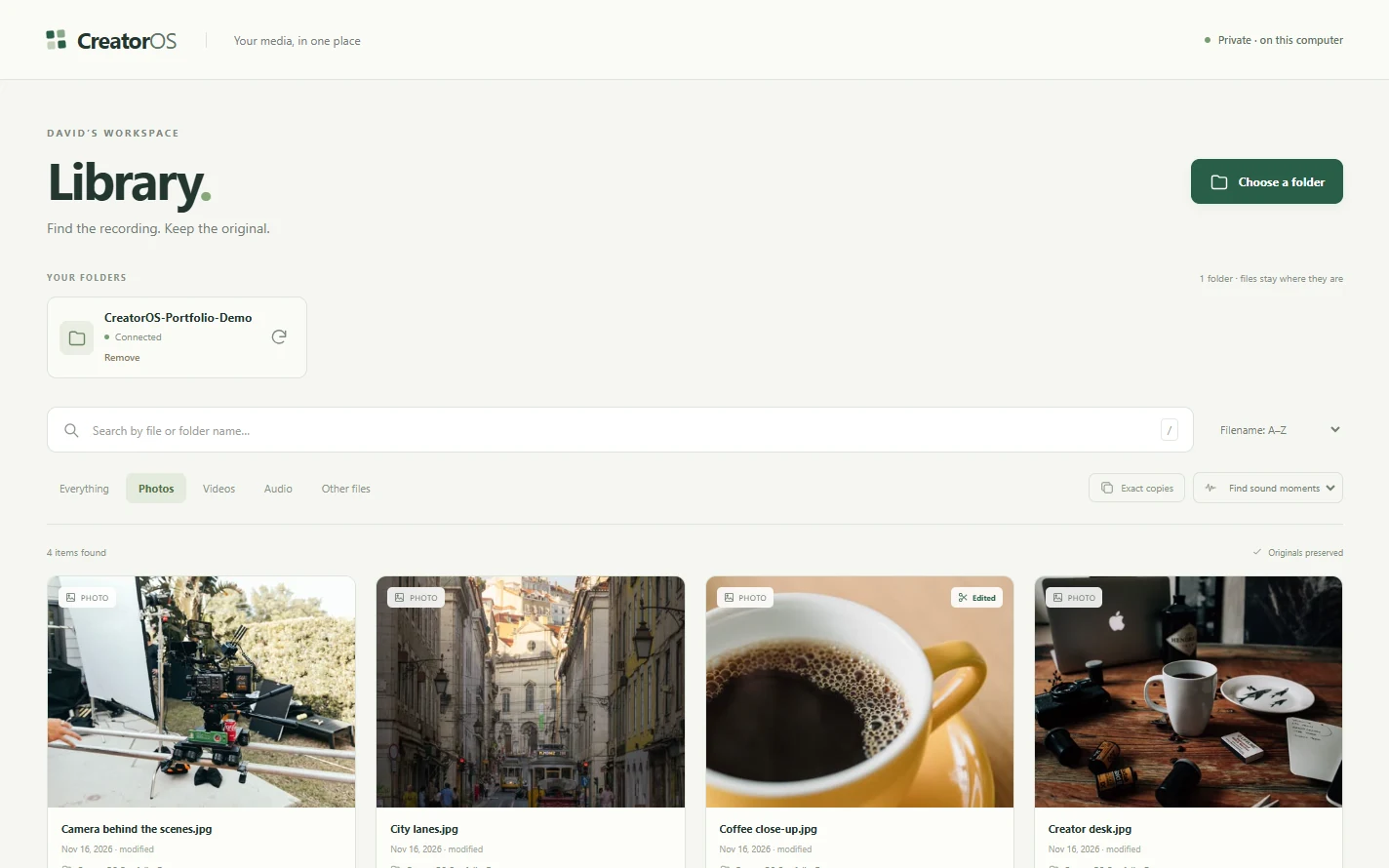
  4. CreatorOS media library with photo thumbnails.
    04

    CreatorOS

    Media Management & Creator Workflow Software · Local application

    Organizes a creator’s photos, videos and audio on their own computer, with quick edits that keep originals intact.
    View project: CreatorOS
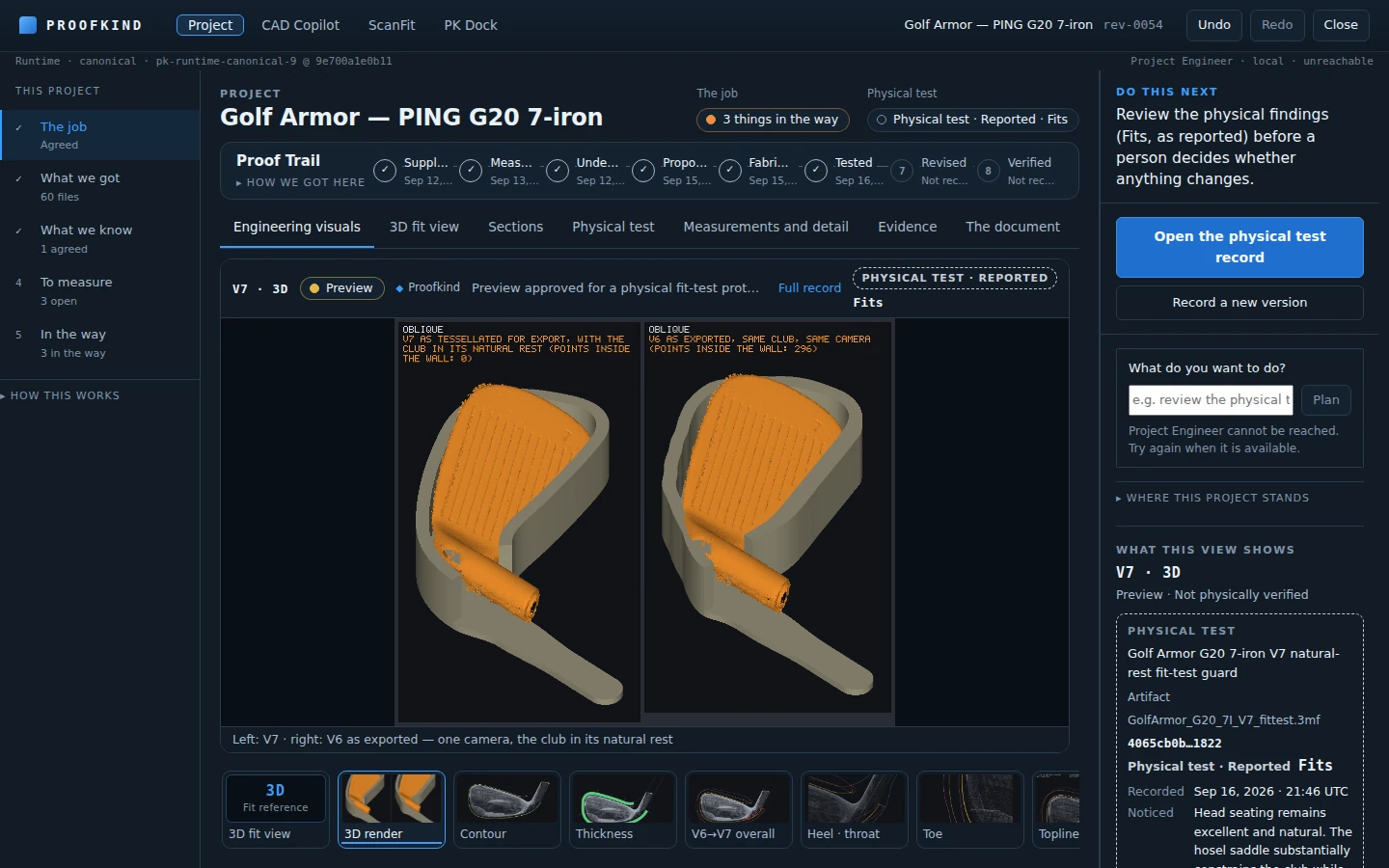
  5. Proofkind workbench comparing two versions of a 3D-printed golf club guard.
    05

    Proofkind

    3D Scan Inspection & Prototyping Software · Local application

    Keeps a physical part’s files, 3D inspection, fit tests and decisions together in one project record.
    View project: Proofkind
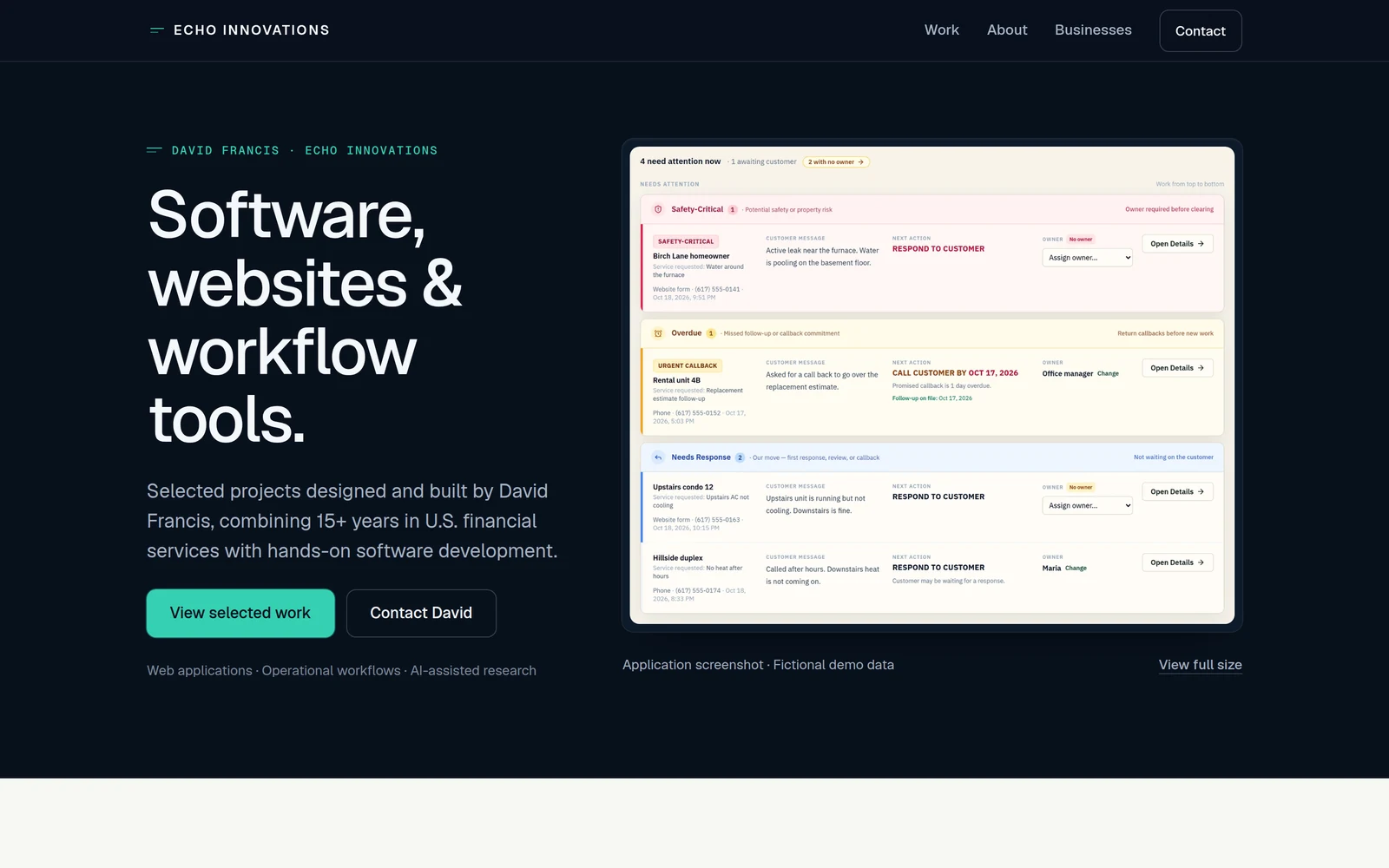
  6. Echo Innovations homepage, first view.
    06

    Echo Innovations

    Company Website · Live website

    Our own company website: this portfolio of founder-built work, with introductions to Audenwell and Landwell Relocation.

    View project: Echo Innovations
01

Keptro

Customer Intake & Follow-Up Operations Software

Hosted web application

In a busy service office, promised callbacks slip when nobody clearly owns a request. Keptro shows each request with its owner, or shows plainly that it has none, along with its next action and any follow-up date.

  • Open requests grouped by what needs attention first.
  • An owner, or “No owner”, and a next action on every request.
  • Overdue callbacks kept visible until they are returned.

Keptro is a software product operated by Echo Innovations LLC. It has separate product terms and pricing.

Visit Keptro (opens in a new tab)
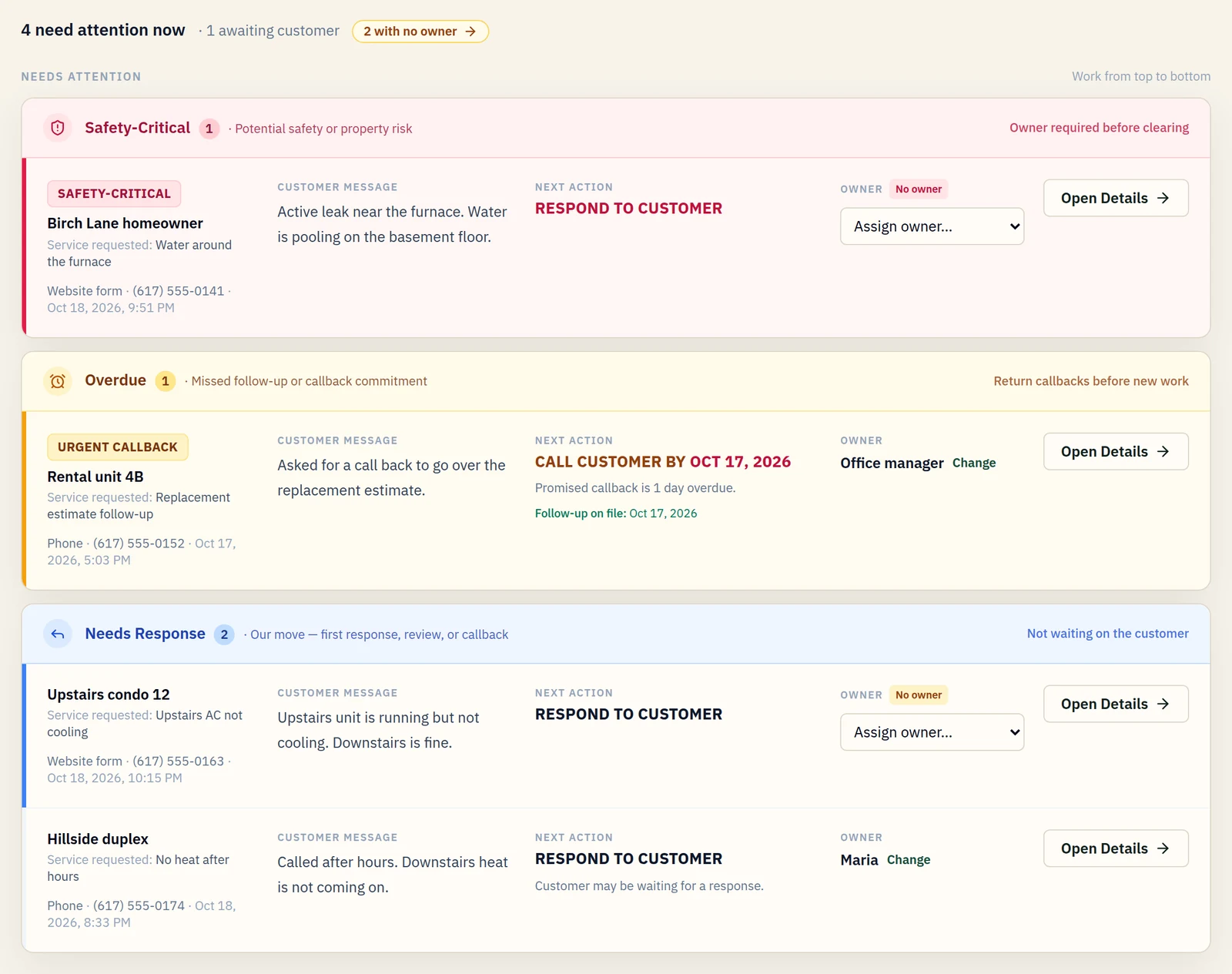
Opens full size in a new tab: Keptro Active Requests board with fictional requests: “4 need attention now” and “2 with no owner”, then Safety-Critical, Overdue and Needs Response groups, each request showing the customer message, next action, owner or “No owner” and an Open Details button.
Application screenshot · Fictional demo data. Active requests, sorted by what needs attention first. Keptro does not make safety decisions.View Keptro requests board full size (opens in a new tab)
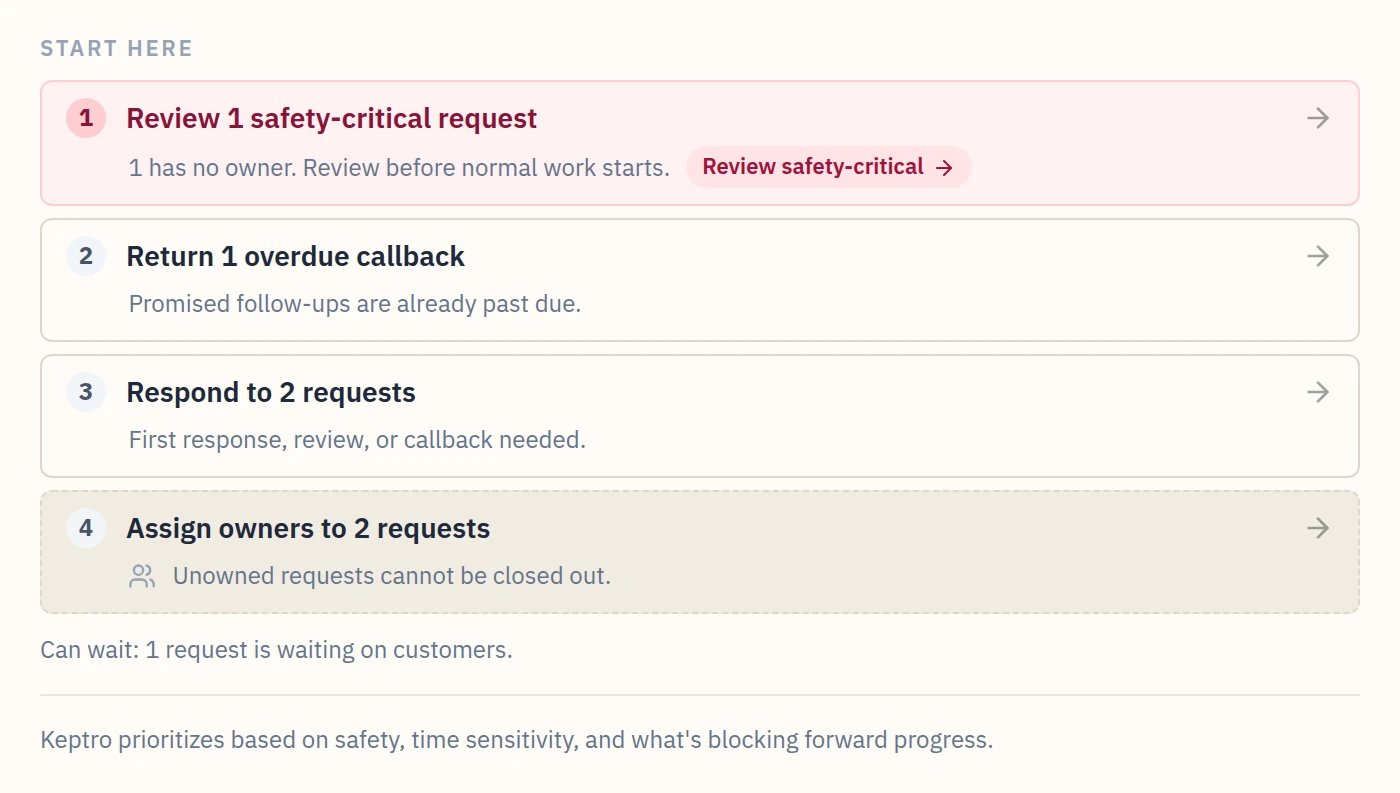
Opens full size in a new tab: Keptro dashboard Start here list: review 1 safety-critical request, return 1 overdue callback, respond to 2 requests, assign owners to 2 requests, with the note “Unowned requests cannot be closed out.”
Application screenshot · Fictional demo data. The dashboard’s Start here list puts the day’s follow-up in order. Keptro does not make safety decisions.View Keptro Start here list full size (opens in a new tab)
02

EchoLens

AI Video Analysis & Research Web Application

Public web application · Early access

Long interviews, keynotes and podcasts are hard to review. EchoLens analyzes a public YouTube video and saves a Lens: the argument it makes, the attributed moments it rests on, a summary and chapters, each linked to the second it was said.

  • An essential viewing path through the video, with timestamps.
  • Moments attributed to their speaker and linked back to the source.
  • Summaries and chapters for reviewing without rewatching.

In early access. EchoLens attributes each statement to its source; it does not fact-check what was said.

Explore EchoLens (opens in a new tab)
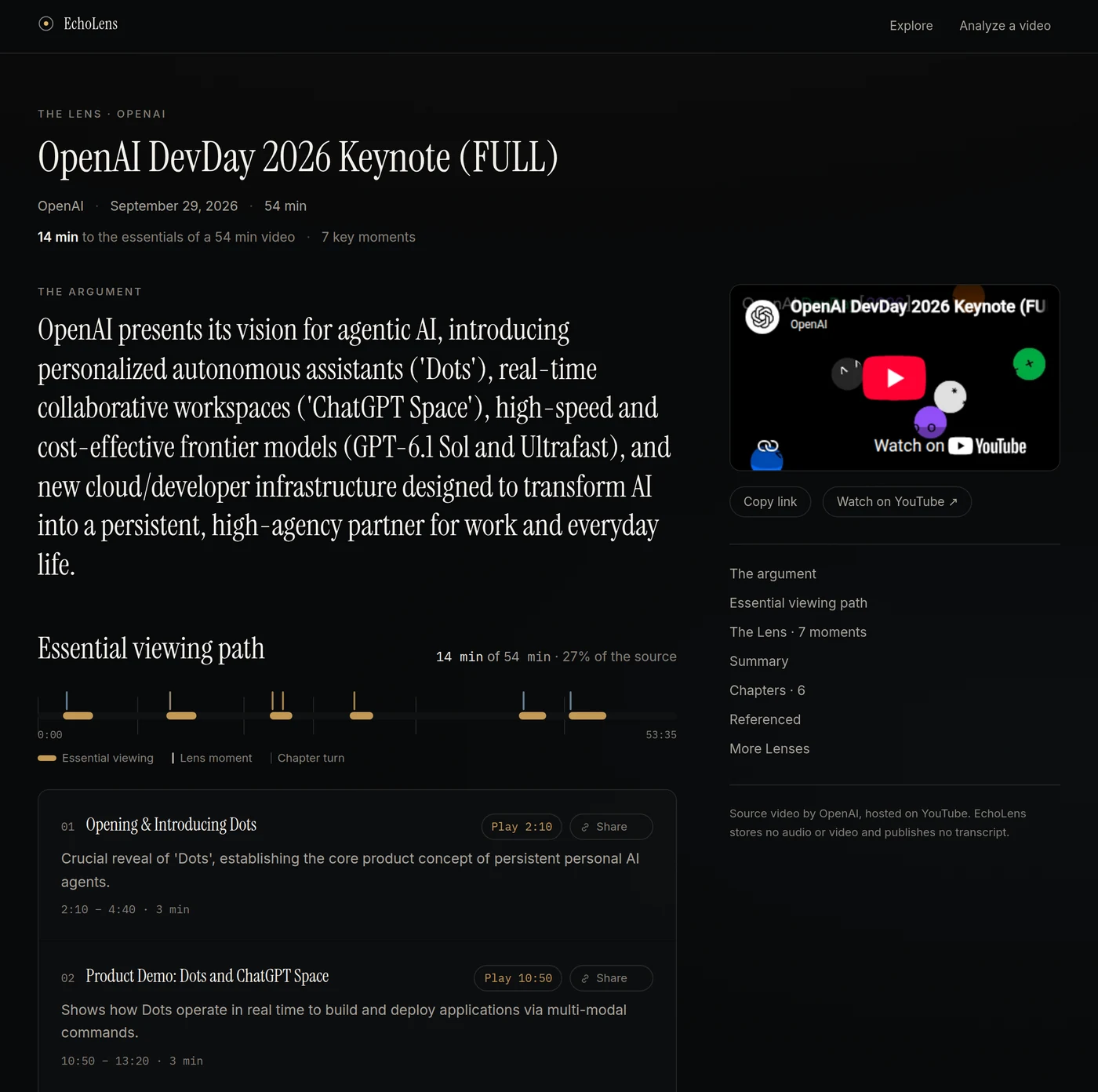
Opens full size in a new tab: A completed EchoLens analysis of the OpenAI DevDay 2026 keynote: the argument, an essential viewing path of 14 of 54 minutes on a timeline, numbered segments with Play timestamps, and links to the moments, summary, chapters and references.
Public web application · Public source material. A completed analysis: the argument, the viewing path and timestamped segments.View EchoLens analysis full size (opens in a new tab)
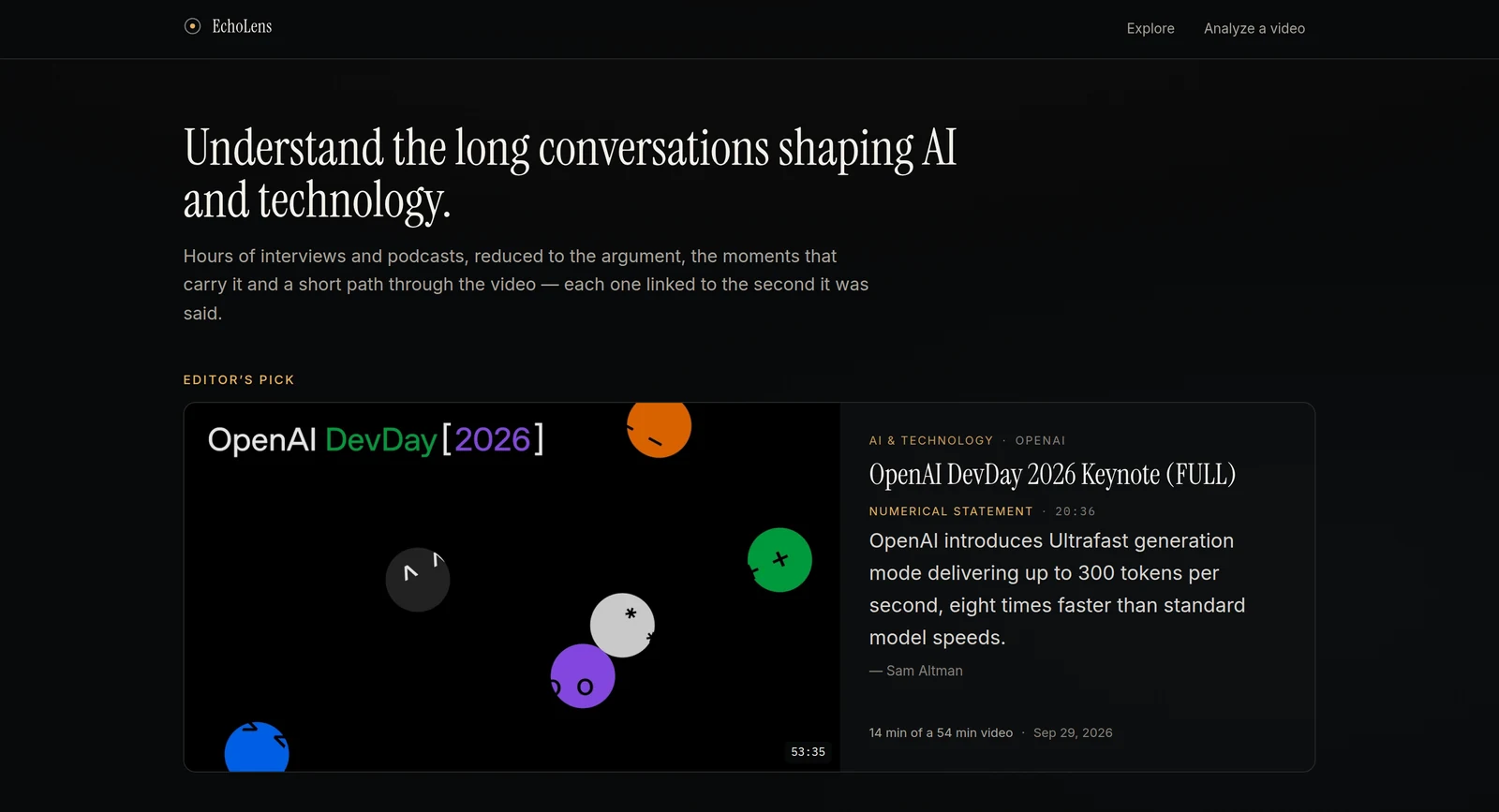
Opens full size in a new tab: EchoLens homepage: the headline “Understand the long conversations shaping AI and technology.” and an editor’s pick from the OpenAI DevDay 2026 keynote showing an attributed statement at 20:36 and “14 min of a 54 min video”.
Public web application · Public source material. The homepage, with an attributed moment from a public keynote.View EchoLens homepage full size (opens in a new tab)
03

Site Reimagined

Website Concept & Design Tool

Internal design tool

Before refreshing a website, it helps to see a direction. Site Reimagined reads a few public pages of a business website, notes what the business offers and where the site could improve, and prepares a proposed homepage at desktop and phone width.

  • Findings marked as captured on the site, interpreted or needing confirmation.
  • A proposed homepage, revised in plain language, with each version kept.
  • A short presentation exported only after an exact version is approved.

Runs on Echo’s own computer. Its concepts are proposals for discussion, not launched websites or commissioned projects.
Opens full size in a new tab: Site Reimagined workspace: a sidebar with the stages Enter Website, Review Findings, Explore Redesign and Approve & Export, and a proposed homepage concept for Alder Advisory, a fictional business, in a Future state preview.
Local application · Fictional business. The workspace, from entering a website to approval and export.View Site Reimagined workspace full size (opens in a new tab)
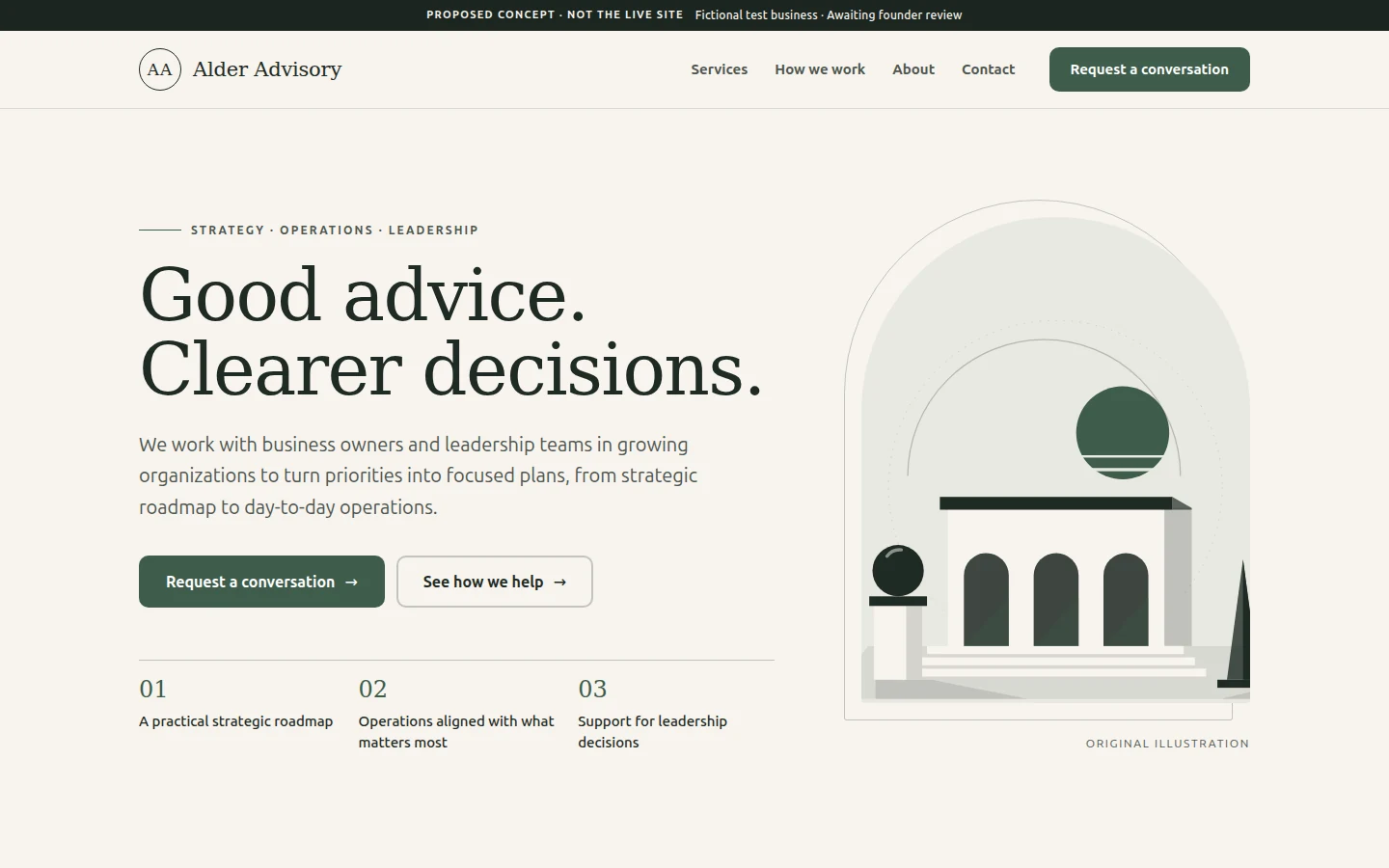
Opens full size in a new tab: Proposed homepage concept for Alder Advisory, a fictional business, under a band reading “Proposed concept · not the live site · Fictional test business”: the headline “Good advice. Clearer decisions.”, two buttons and an original arch illustration.
Design concept · Fictional business. A proposed homepage, marked on the page as not the live site.View Site Reimagined concept full size (opens in a new tab)
04

CreatorOS

Media Management & Creator Workflow Software

Local application

Creators collect recordings across many folders. CreatorOS indexes chosen folders where they are, so files can be found, previewed and marked without uploading anything, and saves each edit as a new file.

  • Search and filters across photos, videos and audio, with exact-copy detection.
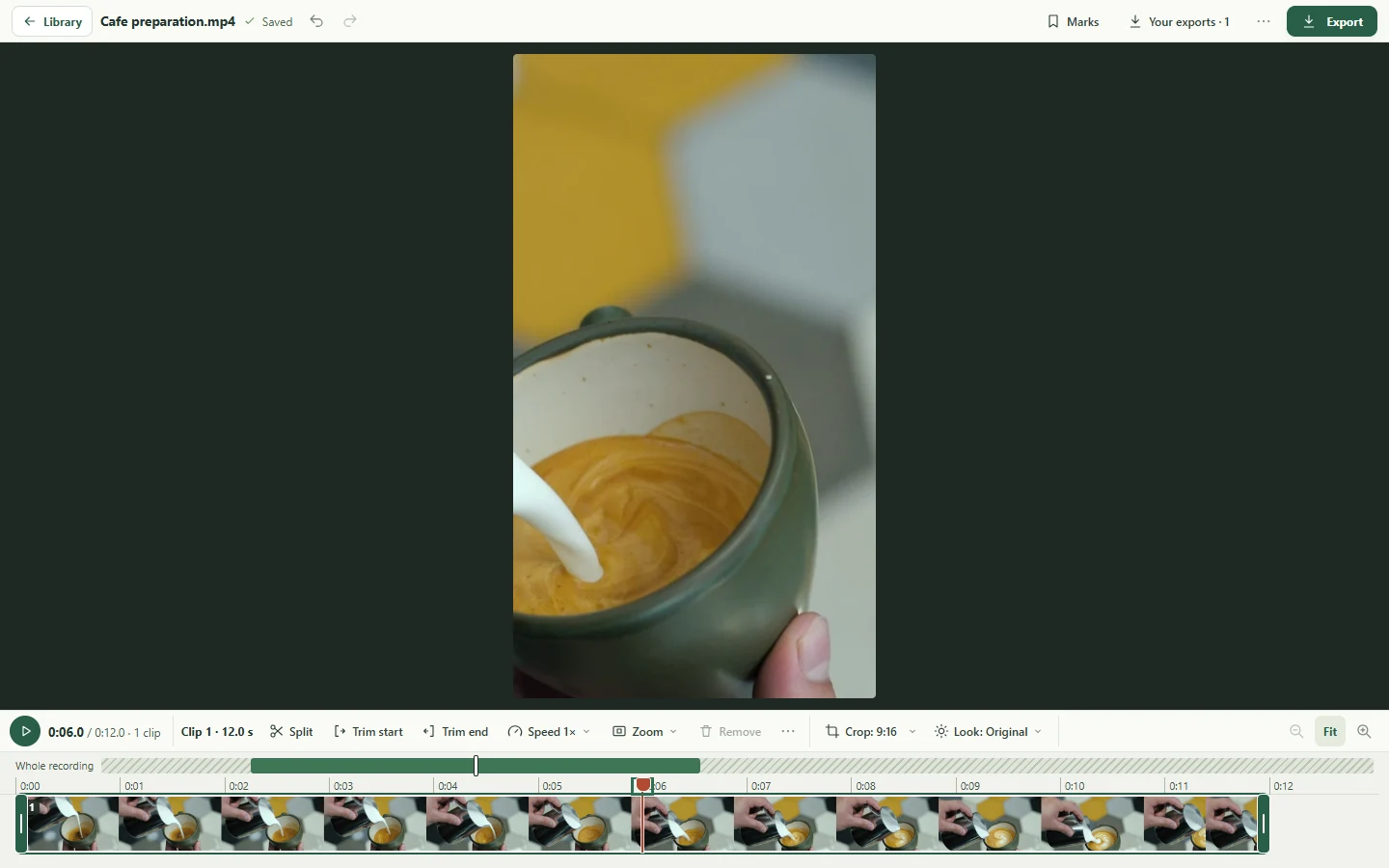
  • Quick video edits: trim, split, crop to vertical and export a new MP4.
  • Marks for useful moments, and audio measurements such as loudness and clipping.

Runs on the user’s own computer. It is not a public service.
Opens full size in a new tab: CreatorOS library: a connected folder, a search box, filters for Everything, Photos, Videos, Audio and Other files, and four stock photographs shown as cards, one marked Edited.
Local application · Demonstration media. The library, with a connected folder, search and filters.View CreatorOS library full size (opens in a new tab)
Opens full size in a new tab: CreatorOS Quick Edit for a 12-second stock video: a vertical 9:16 preview, a timeline of frames, and controls for split, trim, speed, zoom, crop and export.
Local application · Demonstration media. Quick Edit with a vertical crop and the clip timeline.View CreatorOS video editor full size (opens in a new tab)
05

Proofkind

3D Scan Inspection & Prototyping Software

Local application

Prototyping a part that must fit a real object leaves files, scans, design versions and test notes in different places. Proofkind keeps them in one project, with a trail from the job through each design version to the physical fit test.

  • Design versions compared side by side in a 3D workbench.
  • Fit-test results recorded against the exact file that was printed.
  • What is still unverified, stated on screen.

Prototype tooling. It does not generate CAD on its own, and a fit test is not engineering certification or production approval.
Opens full size in a new tab: Proofkind workbench for a Golf Armor club guard project: a proof trail of project stages, version 7 and version 6 of the guard shown side by side in 3D, the reported physical test result “Fits”, and the status “Preview · Not physically verified”.
Local application · Prototype project. Golf Armor project: version 7 beside version 6, the reported fit test and what is still open.View Proofkind workbench full size (opens in a new tab)
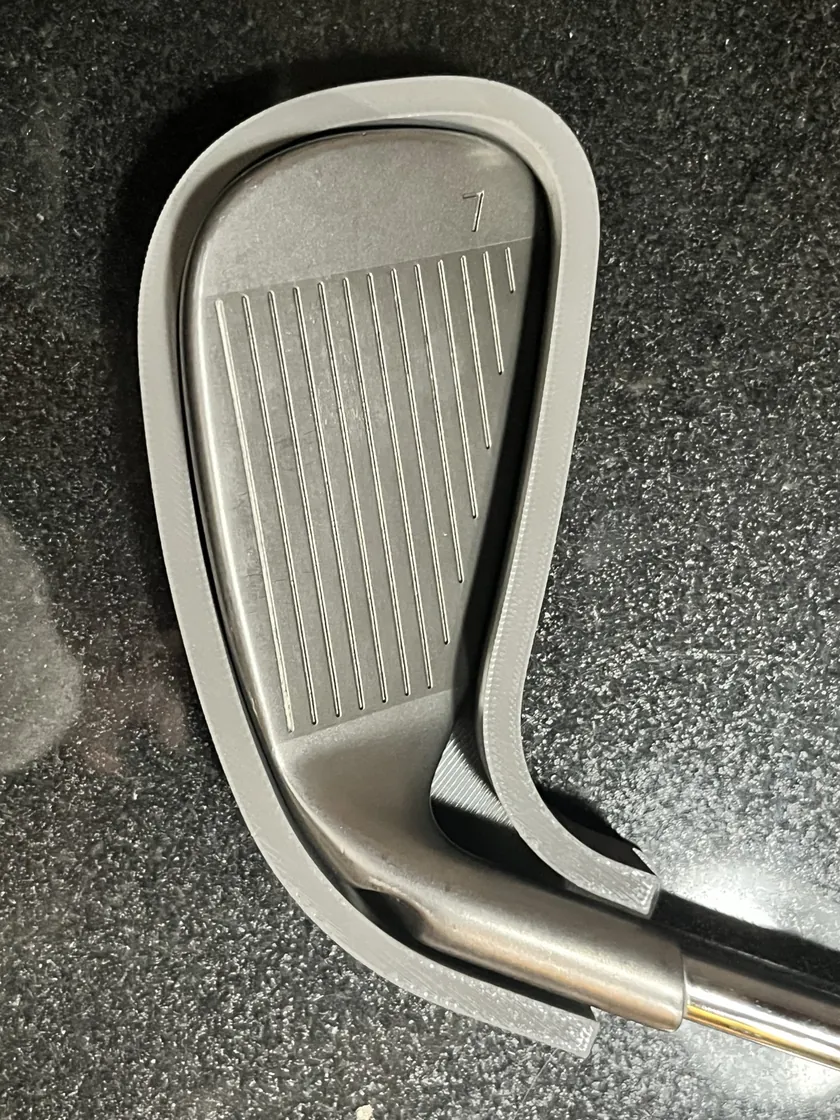
Opens full size in a new tab: Photograph of the grey 3D-printed version 7 guard fitted around the head of a 7-iron golf club.
Physical fit-test prototype · Photograph. The printed version 7 guard from this project, on the club it was designed for. No affiliation with the club’s maker.View Proofkind fit-test photograph full size (opens in a new tab)
06

Echo Innovations

Company Website

Live website

A portfolio site has to show the work quickly and send each visitor to the right place. David designed, wrote and built this website, including its image viewer and its inquiry handling.

  • A homepage that leads with real application screenshots.
  • Layouts that adapt from desktop to phone, with screenshots that enlarge in place.
  • A short contact form with clear validation messages.

You are on it now.

Visit the homepage
Opens full size in a new tab: Echo Innovations homepage at desktop width: navigation with Work, About, Businesses and Contact, the headline “Software, websites & workflow tools.”, View selected work and Contact David buttons, and a Keptro application screenshot.
Company website · This website. Homepage first view, with an application screenshot beside the introduction.View Echo Innovations homepage full size (opens in a new tab)
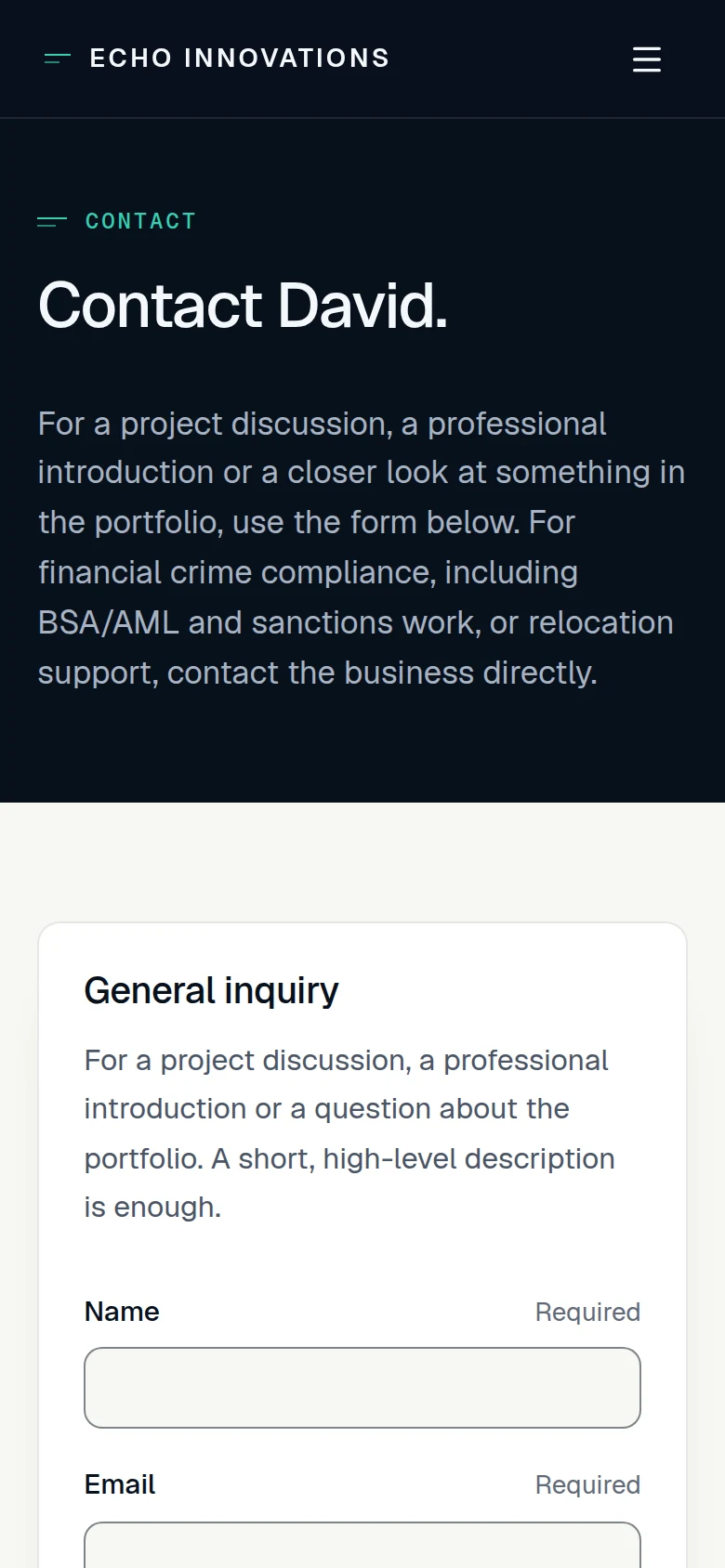
Opens full size in a new tab: Echo Innovations contact page on a phone: the heading “Contact David.” and the start of the inquiry form.
Company website · Phone layout. The contact page on a phone.View Echo Innovations phone contact page full size (opens in a new tab)

Also in the portfolio

CarryThrough

Internal tool · Preview

Operator software for coordinating RFQ and RFP responses: requirements, documents, expert inputs, owners and deadlines in one place. V3 is a preview with fictional test data and is not approved for real customer submissions.

See CarryThrough project details

Capabilities

What these projects demonstrate.

The same patterns can shape a new project. Each project is scoped on its own terms, including software rights and licenses.

  • Work queues and follow-up

    Each item in one place, with an owner, a next action and a follow-up date that stays visible.

    Shown in Keptro

  • Document and review workflows

    Files, findings and versions kept together, with what is confirmed and what still needs checking marked plainly.

    Shown in Proofkind and Site Reimagined

  • Source-linked reporting and approvals

    Outputs that link back to their source, and exports released only after an exact version is approved.

    Shown in EchoLens and Site Reimagined

How a project works

Interested in a project like these?

For a project discussion, a professional introduction or a closer look at any of these projects, contact David. A short description is enough to start.